Apr 30

LightField Toolbox: Lytro Image Processing in Matlab

LightField Toolbox: Lytro Image Processing in Matlab Processing Lytro LightField Pictures is generally done within the free, official Lytro Desktop Software. If you want more control over your LightField results, though, there are a few tools available to do just that. (Note that the Desktop Software is still needed to transfer the pictures from the camera.)

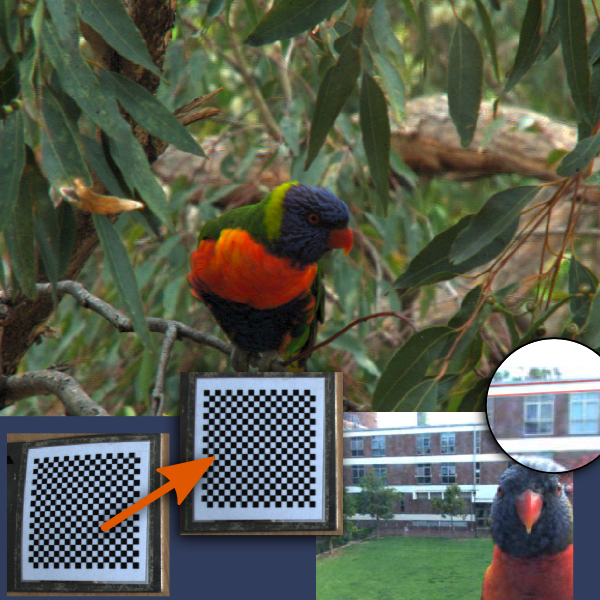
The newest addition to the list of openly available LightField tools is LightField Toolbox v0.1 for Matlab, by Donald G. Dansereau.
It its initial release, it is limited to basic features such as loading, decoding, colour correction and visualization (including a basic perspective shift effect) of Lytro light field images. But there’s more to come!

This version of the toolbox and documentation are focused on Lytro imagery. Adapting this to other cameras should be straightforward. Future releases will support additional input formats, camera calibration, image rectification, and depth and volumetric filtering for improved rendering quality.

Continue reading

Mar 16

Lytro Image Manipulation: Linux Tools to insert Images into LightField Pictures

Lytro Image Manipulation: Linux Tools to insert Images into LightField Pictures (picture: ebina1)A few days ago, we reported about ebina1′s tool “Refocus”, which makes the processing of Lytro RAW images possible in Linux.
Now, ebina1 has taken his work further, and released two more programmes that, for the first time, give users the ability to do (one kind of) image editing with Lytro LightField pictures:

insert_focus lets you insert an image at a specified focus level within the picture. Continue reading

Mar 12

Refocus: Linux Tool to Process Raw Lytro Images

Refocus: Linux Tool to Process Raw Lytro Images In our Forums, there’s now something for Linux users: User ebina1 has shared a small Linux tool that allows the processing and refocusing of Lytro RAW images (which can be extracted via lfpsplitter).

I wrote a short program to process the raw data the lfpsplitter extracts from the .lfp file (not the -stk.lfp).
It lets you generate individual images focused at different depths. The pictures aren’t quite as good as what you get out of the Mac software, but still fun if you want to play with refocusing images.
The source is here:

  Refocus (Linux tool) (19.3 KB, 165 hits)
Small Linux program to refocus extracted Lytro RAW image files.

Join the discussion and let us know what you think!

Readme file information after the break: Continue reading

Jan 03

Perspective Shift Feature breaks lfpsplitter [Lytro]

Perspective Shift feature breaks lfpsplitter (Picture: Lytro Raw camera extract by Nirmal Patel) Those of you who are using lfpsplitter to extract data and image stacks from LightField files have no doubt already noticed this, but we thought we’d bring it out to the open:
With the introduction of the new Perspective Shift feature last December, Lytro has made some changes to the structure of -stk.lfp files which effectively break lfpsplitter’s functionality.

The culprit seems to lie in file compression: Continue reading

Aug 28

LFP File Reader: Python Scripts to Read, View and Export Lytro Living Pictures

LFP File Reader is a set of Python scripts by Benham Esfahbod to help you work with LightField pictures outside of Lytro Desktop.

LFP File Reader: Python Scripts to Read, View and Export Lytro Living Pictures

The Python library contains a total of 8 scripts that will allow you to view picture information and export LightField data and processed images (including all in focus images). What’s completely new compared to other solutions, is that LFP File Reader also allows you to have a look into LFP Storage files – a set of embedded data files which are identified by a pathname (i.e. C:\CALIB\WIFI_MAC_ADDR.TXT).

Continue reading